Getting Started#
Before installing and running the kraken-infinity-grid, you need to make sure to clearly understand the available trading strategies and their configuration. Avoid running the algorithm with real money before you are confident in the algorithm’s behavior and performance!
Preparation#
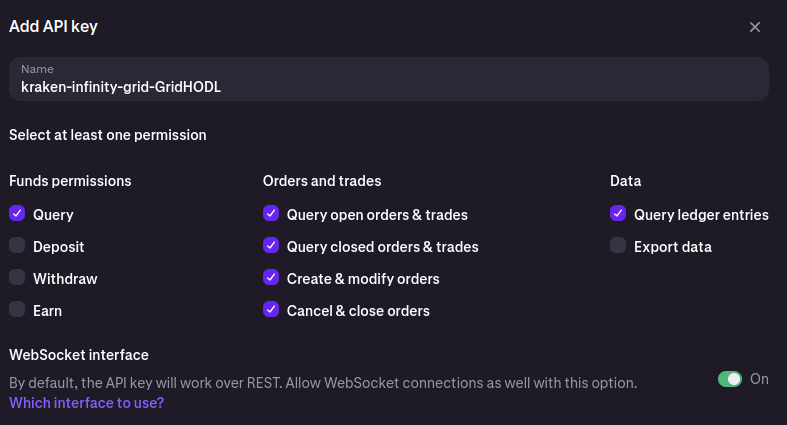
In order to trade at the Kraken Cryptocurrency Exchange, you need to generate API keys for the Kraken exchange. You can do this by following the instructions on the Kraken website (see How to create an API key). Make sure to generate keys with the required permissions for trading and querying orders:
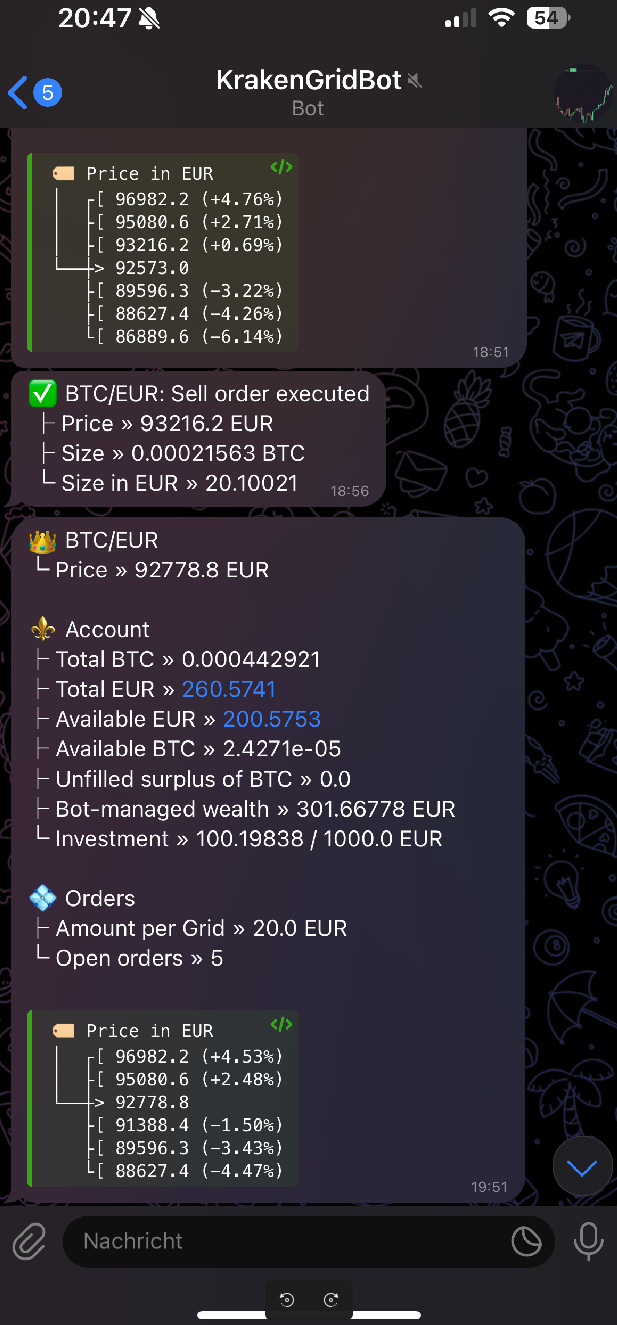
[optional] The algorithm leverages Telegram Bots to send notifications about the current state of the algorithm. We need two, one for the notifications about the algorithm’s state and trades and one for notifications about errors.
Create two bots, name as you wish via: https://telegram.me/BotFather.
Start the chat with both new Telegram bots and write any message to ensure that the chat ID is available in the next step.
Get the bot token from the BotFather and access
https://api.telegram.org/bot<your bot token here>/getUpdatesto receive your chat ID.Save the chat IDs as well as the bot tokens for both of them, we’ll need them later.
Running as pure Python process#
To run the algorithm as a pure Python process, follow these steps:
Install the package via pip:
python3 -m venv venv
source venv/bin/activate
pip install kraken-infinity-grid
The algorithm can be started via the command-line interface. For using a local SQLite database, you can specify the path to the SQLite database file via the
--sqlite-fileoption. The SQLite database is created automatically if it does not exist, otherwise the existing database is used (see Database Configuration).kraken-infinity-grid \ --api-key <your-api-key> \ --secret-key <your-api-secret> \ run \ --strategy "GridHODL" \ ... # further configuration --sqlite-file=/path/to/sqlite.db
Running via Docker Compose#
The repository of the kraken-infinity-grid contains a docker-compose.yaml
file that can be used to run the algorithm using Docker Compose. This file also
provides a default configuration for the PostgreSQL database. To run the
algorithm, follow these steps:
Clone the repository:
git clone https://github.com/btschwertfeger/kraken-infinity-grid.git
Build the Docker images:
docker system prune -a
docker compose build --no-cache
Configure the algorithm either by ensuring the environment variables documented in the Configuration section are set or by setting them directly within the
docker-compose.yaml.Run the algorithm:
docker compose up # -d
Check the logs of the container and the Telegram chat for updates.
Note
In the future, there will be a Docker image available including kraken-infinity-grid! Stay tuned!
Monitoring#
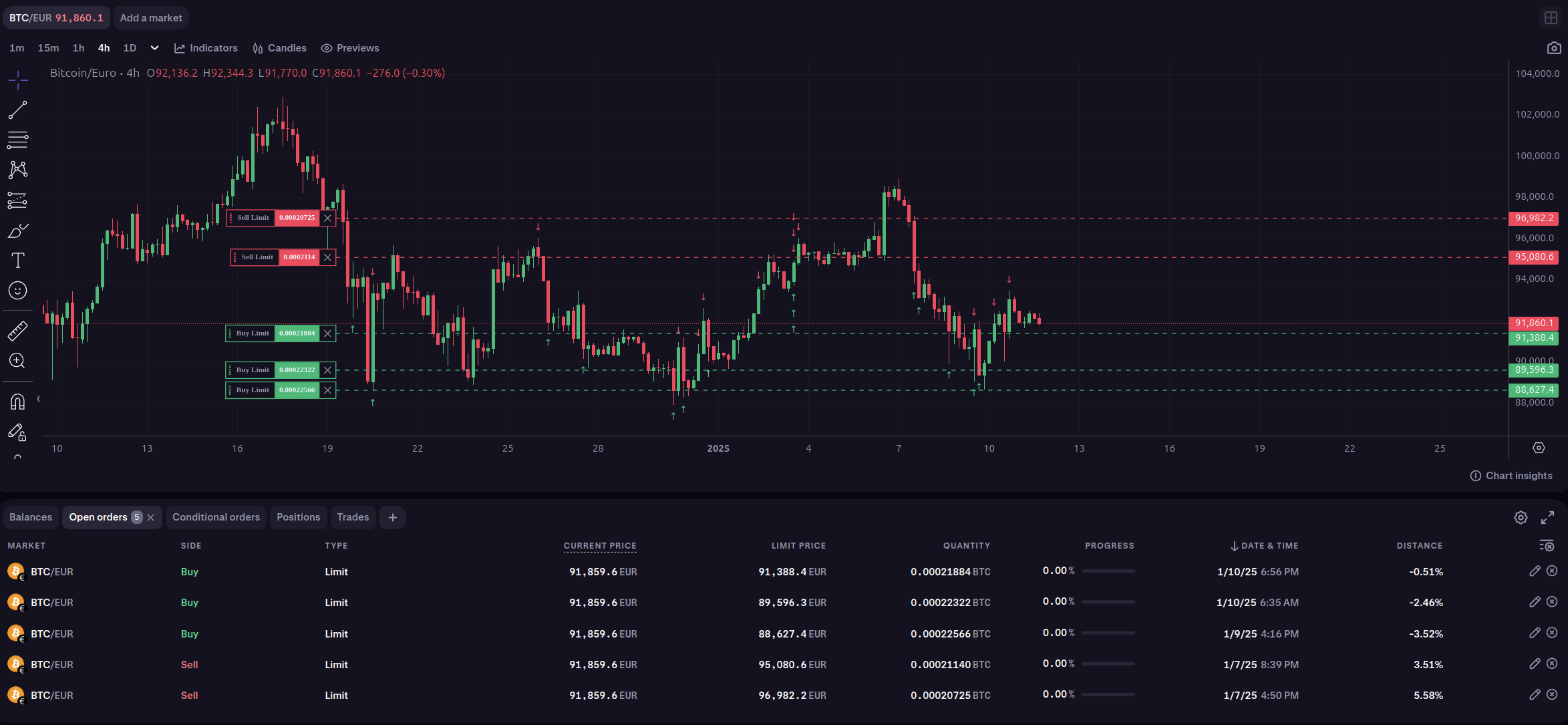
Trades as well as open positions can be monitored at Kraken, where they can also be managed. Keep in mind that canceling via UI is possible, but placing orders that the algorithm will manage is not possible, as it only manages orders that it has placed.
Additionally, the algorithm can be configured to send notifications about the current state of the algorithm via Telegram Bots (see Preparation).